Gdzie kupić
Potrzebujesz porady? Nasi wysoko wykwalifikowani dealerzy chętnie odpowiedzą na wszystkie pytania, małe i duże.
Znajdź dealera w pobliżu
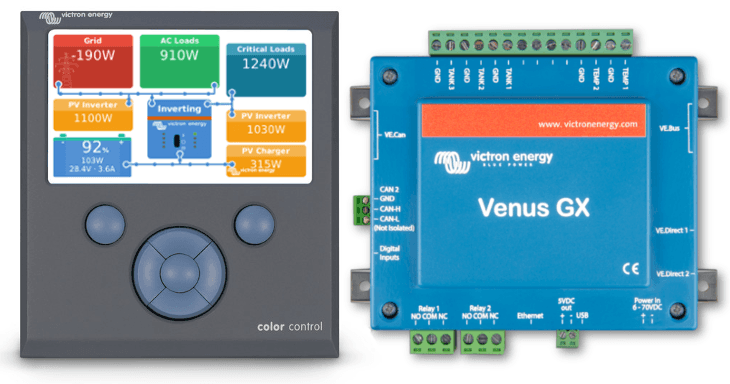
Good morning!
Just now we have released Venus OS version v2.12. It brings several new features and lots of small improvements and bug fixes. Lets start with going through the highlights.
Its now possible to give devices a name; making it much easier to separate one battery bank from another.
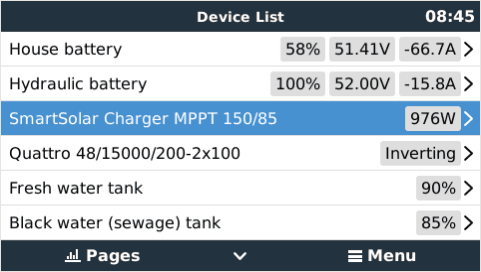
To change the name of a device, go into its menu, scroll to the bottom where you’ll find the Device submenu. Go in, and look for the Name setting.
Add monitoring SMA & Solar Edge PV Inverters. Monitored information includes Output power, Status (Standby, Inverting, Startup, and more) and more. The connection is via LAN and uses the PV Industry ModbusTCP Sunspec protocol.
See the Settings -> PV Inverters menu.
Note that the Zero-feed-in feature that we have for Fronius inverters remains Fronius-only. A zero-feed-in system cannot be made with other brands & types of PV Inverters. And note that only Solar Edge models SE2200H – SE6000H (HD-Wave) were tested. Other models may or may not work.
Since SunSpec ModbusTCP is a widely adopted standard, its very well possible that other brands of PV Inverters can now be monitored as well.
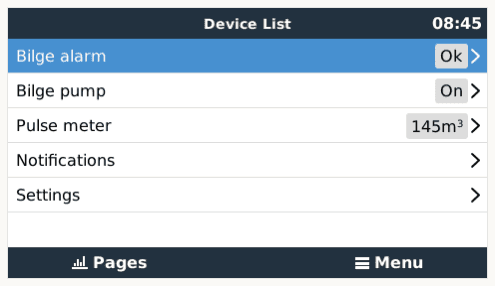
On the Venus GX there is an RJ-11 socket that has 5 digital inputs. There was no functionality behind them, now there is! You can use them to monitor an alarm. There is a list of pre-defined types: Door alarm, Bilge pump, Bilge alarm, Burglar alarm, Smoke alarm, Fire alarm, CO2 alarm, and Generator (running / not running).
Besides alarms, you can also wire the input to the pulse-output of a pump. For example a water pump; monitoring cubic meters pumped.
Detailed information about available settings and how to set it up will be added later today to the Venus GX manual.
This is going to be a half announcement; any marketeer would tell me not to do this, but I’ll do it anyway: in Venus v2.12 we have done various changes that increase the maximum number of connectable VE.Direct devices. Previously, the maximum for the CCGX was 5 devices, and for the Venus GX it was 6. Now its more, at least 8 for both device types. And hopefully (much) more. We are still completing tests to determine the new maximum.
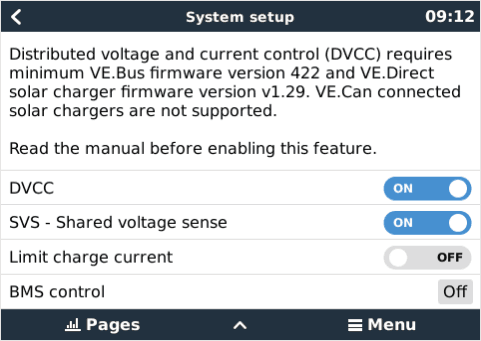
This is a new set of features which can be enabled and disabled under Settings -> System Setup. When enabled, the CCGX / Venus GX takes a more central role in the Victron system, which brings a series of changes and improvements. Most importantly:
Make sure to study the DVCC chapter in the CCGX manual before enabling DVCC.
ESS
User interface
Other
ModbusTCP
MQTT:
Developers & community:
Please refer to the update instructions for how to update.
Have a good day, Matthijs
Potrzebujesz porady? Nasi wysoko wykwalifikowani dealerzy chętnie odpowiedzą na wszystkie pytania, małe i duże.
Znajdź dealera w pobliżu
Sprawdź nasze zasoby pomocy technicznej lub skontaktuj się z oryginalnym sprzedawcą w celu uzyskania odpowiedniego wsparcia, napraw lub zgłoszeń gwarancyjnych.
Wsparcie
Dowiedz się więcej o naszej wiodącej w branży 5-letniej standardowej gwarancji i globalnym serwisie naprawczym.
Gwarancja


Polityka prywatności
Preferencje plików cookie
Korzystanie z plików cookie
Warunki użytkowania
Informacja prawna
©Victron Energy 2026
